- Knowledge Base
- Assets
- Asset Labels
- What are asset labels
- How to add a run
- How to edit a run
- How to mark a run as complete
- How to archive a run
- How to delete a run
- How to change the assignee
- How to add a result in a checklist run
- How to add bulk results in a checklist run
- How to share run tasks with external participants
- How to generate an Excel or PDF report from a checklist run
- How to filter the run tasks view
- Department transactions
- How to edit a transaction
- How to cancel a transaction
- How to deactivate a transaction
- How to create a budget
- How to approve budgeting items from the transactions grid
- How to record an estimate
- How to create a purchase order from approved estimates
- How to link approved estimates to approved budgets
- How to submit transaction items for approval
- How to re-submit a denied transaction
- How to upload from Excel to the transactions grid
- What is an office asset
- How to create a new asset
- How to manage an asset
- How to move an asset
- How to dispose of an asset
- How to transfer (in) an asset
- How to transfer (out) an asset
- How to log a sighting of an asset
- How to log an inspection of an asset
- How to log maintenance on an asset
- How to export a record of an asset
- How to print asset labels
- Introduction
- Admissions
- Assets
- Bank Accounts
- Boards
- Business Trips
- Candidates
- Checklists
- Clients
- Companies
- Consents
- Contacts
- Contracts
- Custom Forms
- Departments
- Documents
- Evaluations
- Employee Performance
- GL Accounts
- Incoming Center
- Integrations/External Systems
- Invoices
- Job Management
- Key Dates
- Months
- Offices
- Personnel
- Polls
- Project Management
- Project Status
- Purchase Orders
- Schedule
- Shared Spaces
- Teams
- Time Off
- Time Tracking
- Transactions
- Vendors
- Mobile Application
- What is a personnel asset
- How to create a new asset
- How to manage an asset
- How to move an asset
- How to log inspection on an asset
- How to log maintenance on an asset
- How to dispose of an asset
- How to transfer (out) an asset
- How to transfer (in) an asset
- How to log a sighting on an asset
- How to print asset labels
- How to export a record of an asset
- What is a project asset
- How to create a new asset
- How to manage an asset
- How to move an asset
- How to log inspection on an asset
- How to log maintenance on an asset
- How to dispose of an asset
- How to transfer (out) an asset
- How to transfer (in) an asset
- How to log a sighting of an asset
- How to print asset labels
- How to export a record of an asset
- Project transactions
- How to edit a transaction
- How to cancel a transaction
- How to deactivate a transaction
- How to create a budget
- How to approve or deny budgeting items from the transactions grid
- How to record an estimate
- How to create a purchase order from approved estimates
- How to link approved estimates to approved budgets
- How to submit transaction items for approval
- How to re-submit a denied transaction
What are asset labels
Asset labels are unique asset identifiers. They are used to make tracking and managing assets easier.
To view information about asset labels, go to the Assets module and click on the Asset Labels tab in the navigation header. You can view all the asset labels displayed by Name, Color and Last Change made by whom and when.

You can search for an asset label in three different ways:
- Manually – Select the relevant asset label from the list.
- By using filters – Narrow down your search by applying any of the available filters. You can search for a label by the Active or Inactive state or both.
- Enter keywords – Start typing into the search field to quickly find a label.
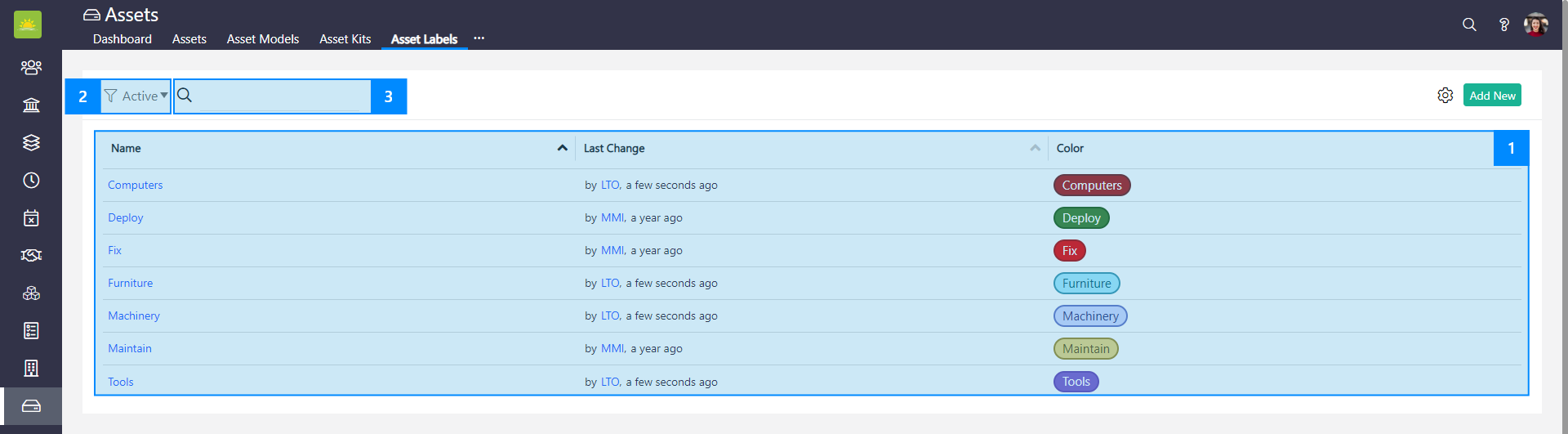
Click on the ... settings button in the top right corner of the screen to customize the asset label view. For more information, read the articles on how to customize the list view and what grid customization is.
You can also add a new label using Add New from this page.

Click on the selected label's Name to view its Basic Info.

How to view all assets inside a specific label
To view all the assets inside a specific label, click on any label's Name.

The label's Basic Info page will open. Next, click the Assets tab.
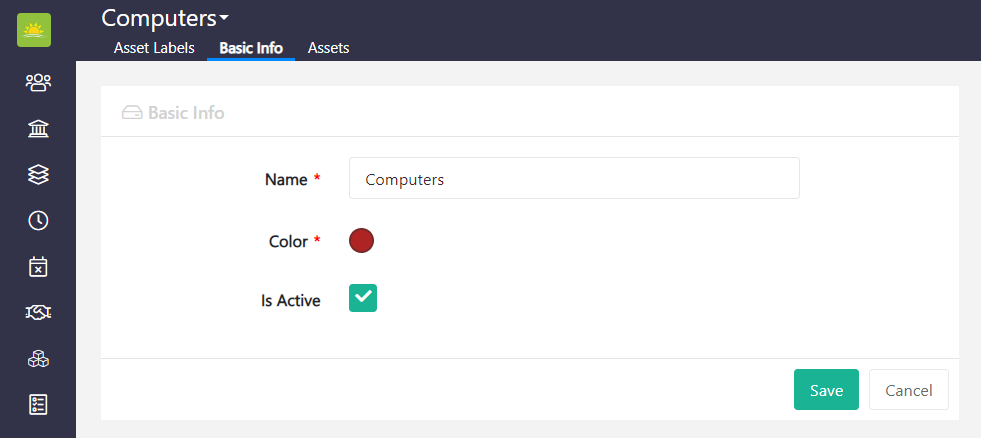
You can view all the assets that are grouped under the label.

Was this article helpful?
Didn’t find what you were looking for?
Contact us and we’ll build the right solution for you. Vault Synapse can be fully customized based on your business needs.
Contact us and we’ll build the right solution for you. Vault Synapse can be fully customized based on your business needs.